
The guide
From the screen still in its box to your first key, then everything you need to live with it. One chapter per page, and every command copies exactly as it stands.
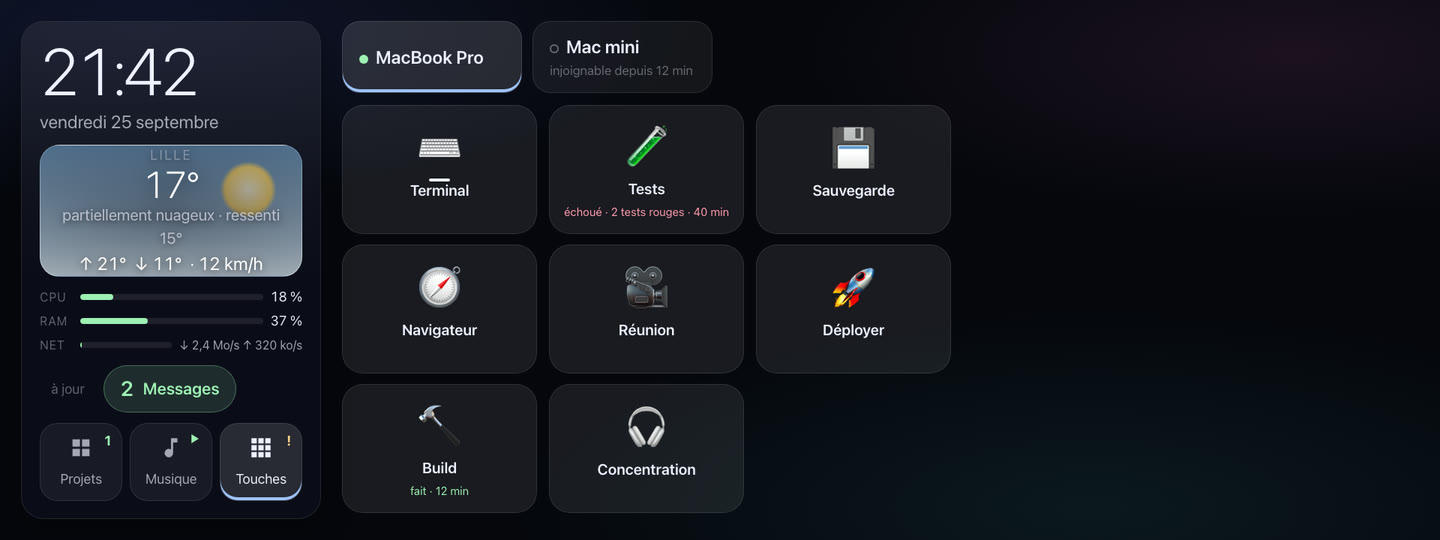
The recommended path
Four chapters, in order. By the end of the fourth, the screen plays your music, and a key opens an app on your Mac.
- Hardware
What you need: the screen, the Linux machine that drives it, Music Assistant, a Mac and your local network. What has been tested, and what hasn't yet.
- Installing the screen
The binary and its service, the settings, the Music Assistant token, then Chromium full screen from boot.
- Installing the Mac service
ecran-agent, its config, its background service, and the “Local Network” permission macOS will ask you for. - Creating your keys
One app or one command per key, in a few lines of JSON, and about fifteen recipes to copy.
Then, as you need them
- Music
- Favorites, speakers, the three sound visualizations and the gestures that switch between them.
- Projects
- What the Projects page shows, the gproj integration, and the
POST /etatformat, so another tool can feed it. - Settings
- Every environment variable of the screen, and every one of its routes.
- Troubleshooting
- For each failure: what you see, why, and what to do.
The binaries are on the Download page, with their checksums; this guide tells you what to do with them.